
Running a server
The admin panel
The operator's panel at /admin - every app on the server, connectivity requests, blocks, the server's health and storage, the build agent, settings, limits, rules for agents, branding and quiet hours - and the same for an agent of your own, over MCP.
The admin panel at /admin is the operator’s view of the installation: what waits for a decision, every app with what it uses, the server’s health, and the settings that apply to all apps. It exists only when LAMBDA_ADMIN_TOKEN is set.
Enter the token on the panel’s page. Where apps answer below /lambda/ on the same address, the panel keeps it for the browser tab only, since apps there could read what it stores; with apps at subdomains, it keeps it in the browser until Lock again. Drafts’ previews run on the platform’s address either way - use Lock again before opening previews of apps you do not trust in the same browser (see Security). Everything the panel does is also available through the REST API - below /api/v1/admin/, and /api/v1/telemetry and /api/v1/logs - with the token in an X-Admin-Token header, and to an agent of your own over MCP (see Your own agent).
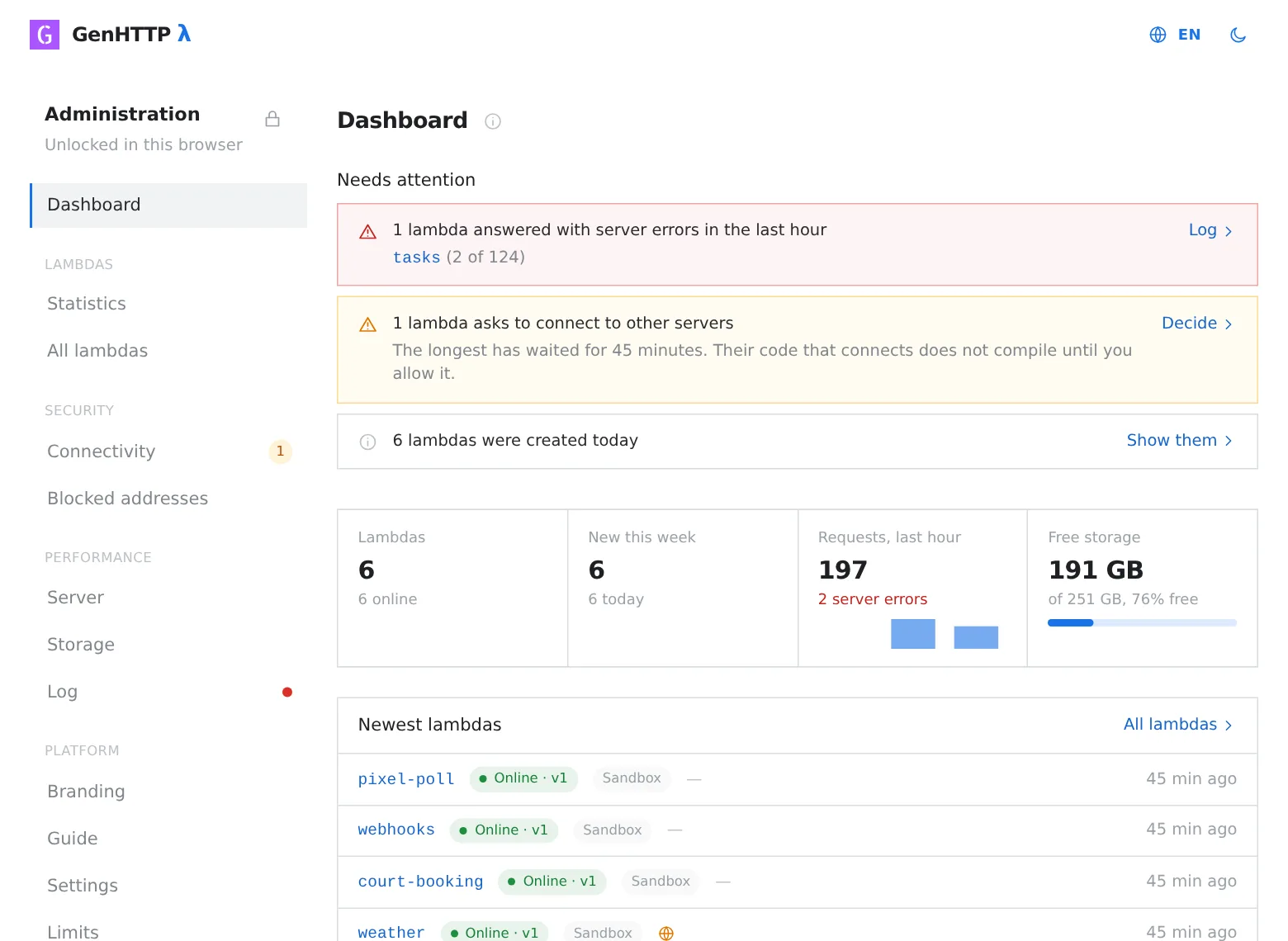
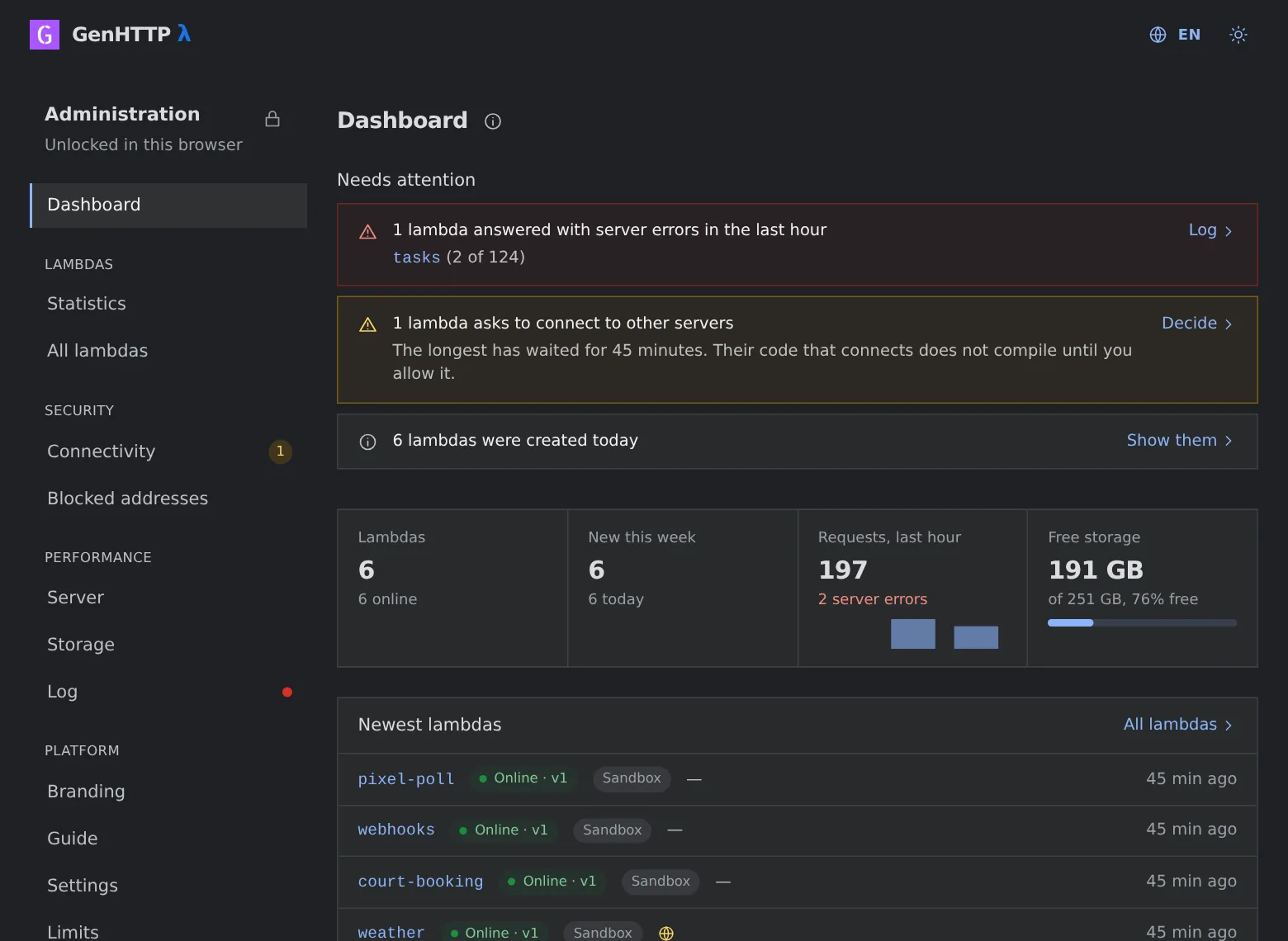 The Dashboard: what needs the operator - failing apps, requests to connect - and the installation at a glance.
Sections#
| Group | Section | What it is for |
|---|---|---|
| Dashboard | what waits for you - apps failing in the last hour, requests to connect, the volume running out of room, a usage report that did not arrive, data beyond its allowance - and the installation at a glance | |
| Lambdas | Statistics | the apps by state, tier and view, the features they use, how their versions are made and what the build agent wrote, by model and effort, the busiest, failing, largest and expiring ones |
| All lambdas | every app, searchable and filtered by tier, state, features used, view and age | |
| Security | Connectivity | requests to connect to other servers, and what was allowed |
| Blocked addresses | addresses refused, and lifting them | |
| Performance | Server | the memory and load of the process over the last day, and what each app served |
| Storage | free space on the volume, and what takes it - by part and by app | |
| Log | everything the server and the apps print, live, with search and grouping by caller | |
| Platform | Branding | the installation’s name and logo |
| Guide | the guide agents read first, and a section of your own | |
| Build agent | whether the build agent builds new apps and answers owners, the models and efforts it offers, and how it is doing | |
| Settings | whom the installation is for, and whether the platform optimizes the databases | |
| Limits | what an app may have, per tier and for every app | |
| Integrations | where databases, files and secrets are kept - read only | |
| Quiet hours | when the installation is usually quiet, by the hour of a typical day | |
| Usage report | the last daily report, exactly as sent |
Your own agent#
An agent you run - Claude Code, Cursor, VS Code, Claude, Codex - can do what the panel does, over MCP at /admin/mcp. It sends the admin token as the header X-Admin-Token with every call, so the token stays in the client’s configuration and never in the conversation:
Claude Code
Shell
claude mcp add --transport http genhttp-operator https://lambda.example.com/admin/mcp \
  --header "X-Admin-Token: <your admin token>"
Cursor
In ~/.cursor/mcp.json, with the token in an environment variable rather than in the file:
JSON
{
  "mcpServers": {
    "genhttp-operator": {
      "url": "https://lambda.example.com/admin/mcp",
      "headers": { "X-Admin-Token": "${env:GENHTTP_ADMIN_TOKEN}" }
    }
  }
}
VS Code
In your user configuration of Copilot, ~/.copilot/mcp-config.json - not in a project others clone:
JSON
{
  "mcpServers": {
    "genhttp-operator": {
      "type": "http",
      "url": "https://lambda.example.com/admin/mcp",
      "headers": { "X-Admin-Token": "${GENHTTP_ADMIN_TOKEN}" }
    }
  }
}
Claude
In Claude on the web or the desktop, open Settings, then Connectors, choose Add custom connector, paste the address and add X-Admin-Token with your token under Request headers. Claude connects from Anthropic’s cloud, so the installation needs a public HTTPS address on port 443. Add it to your own account only: a connector shared in a Team or Enterprise organization gives everybody who uses it your token’s access.
Others
Any client that can send a header to a remote MCP server (streamable HTTP).
Then ask in your own words: Which apps failed in the last hour, and why? - Block the app that sends people to a fake bank login, and the addresses it was made from. - Allow connectivity for the weather app, its purpose is fine. - Raise the sandbox’s data to 200 MB.
- The same as the panel, and no more. Apps, their tier, domain, connectivity, blocks and removal; blocked addresses; the dashboard, storage, server, log and quiet hours; settings, limits, the guide, the build agent, integrations, the usage report, and branding where there is a Branding section. Nothing of an owner’s - their data, secrets, analytics, showcase entry or published source - is changed, as in the panel.
- No editor keys. Apps are named by their public key - the name in their address - and the editor keys in the log’s request lines are left out, since what the agent reads ends up in its conversation. The panel’s log shows them.
- It asks first. Deleting an app, removing your guide section and taking the logo away cannot be undone, and the client is told so; the agent is told to say what it will do and wait for you before those and before blocking.
- What others wrote is not an instruction. Code, log lines, purposes, reasons and notes come from owners and visitors; the agent is told to read them as data.
- Recorded as yours. Every action is logged as the panel’s are -
Set tier of lambda shop to Production by operator- and so is every read. - Keep the configuration as private as the token. Without
LAMBDA_ADMIN_TOKENthere is no endpoint (404). It is reached from a blocked address like the panel, so you can lift a block of your own.
Managing an app#
An app’s page - from All lambdas, or a link on the dashboard - sums up everything about it: what its documentation says it is and what was asked for, its traffic and problems, its data and what it uses, when it is used on a typical day, its versions and deployments, its lifetime, and the addresses it was changed from. Editor opens its editor, to read the code or correct it.
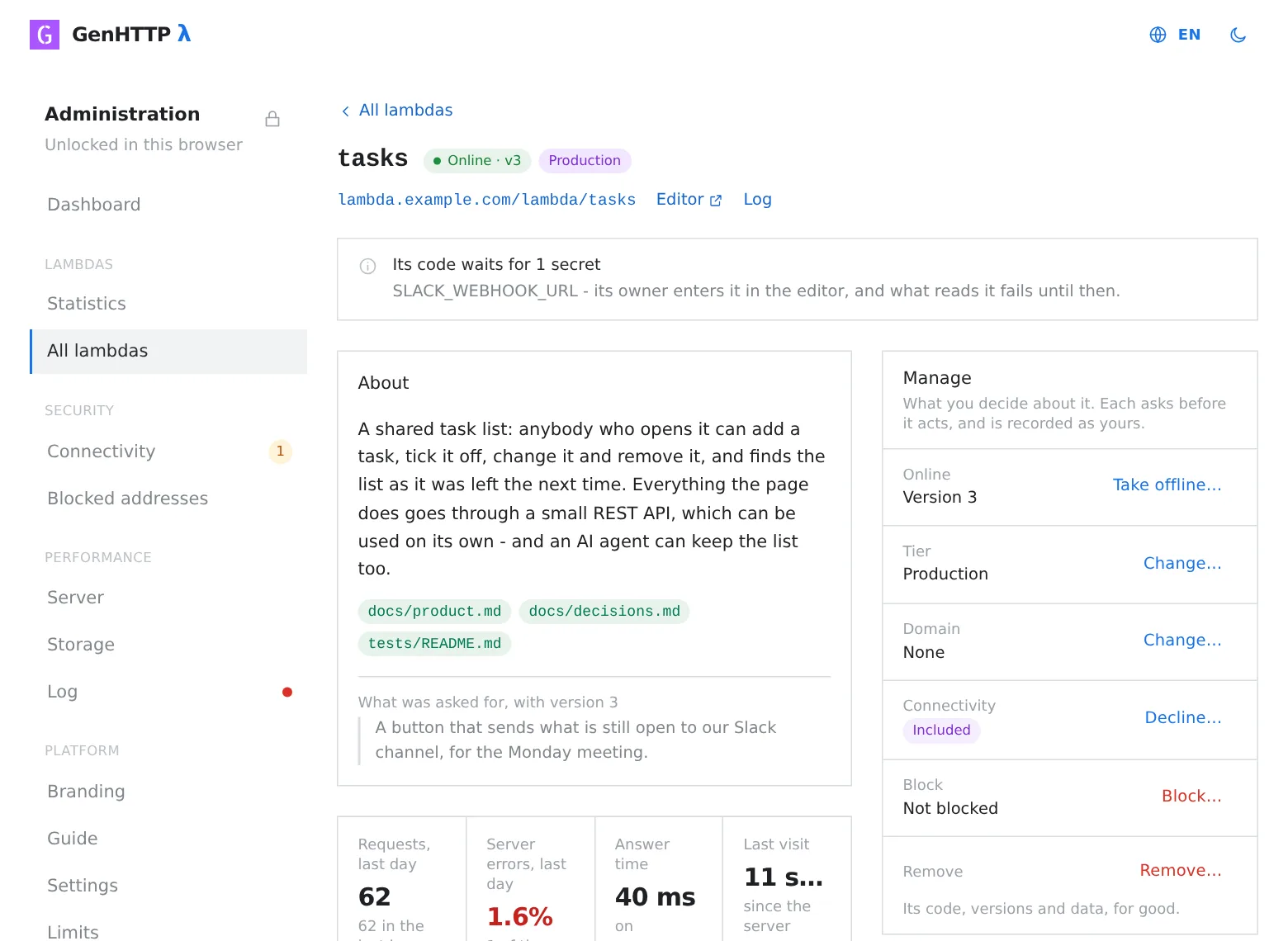
 An app’s page: what it is and uses, and the Manage card with what the operator decides.
What only the operator decides is in the Manage card, each action confirmed in a dialog first:
- Online - take it offline, or put a version online.
- Tier - move it between sandbox, production and system. See Tiers and limits.
- Domain - set or remove its domain for the owner.
- Connectivity - allow or decline connecting to other servers.
- Block - see below.
- Remove - delete it with its code, versions and data.
Connectivity requests#
Requests to let an app’s code connect to other servers wait in Connectivity, the longest waiting first, with the owner’s purpose and whether the code connects at all. Allow or Decline, with a note the owner reads in the editor. Allowed apps are listed below, to take it back. See Connecting to other servers.
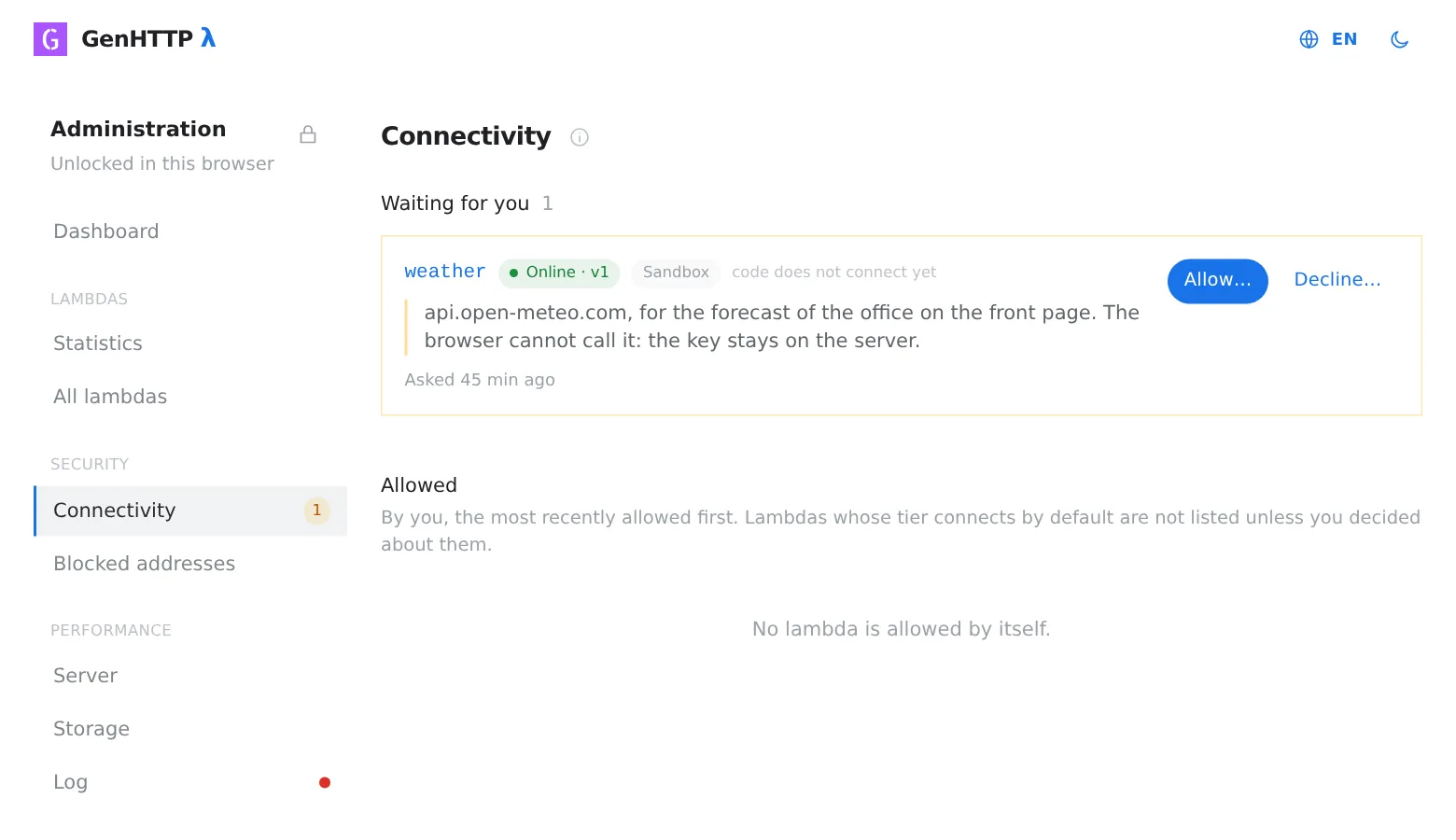
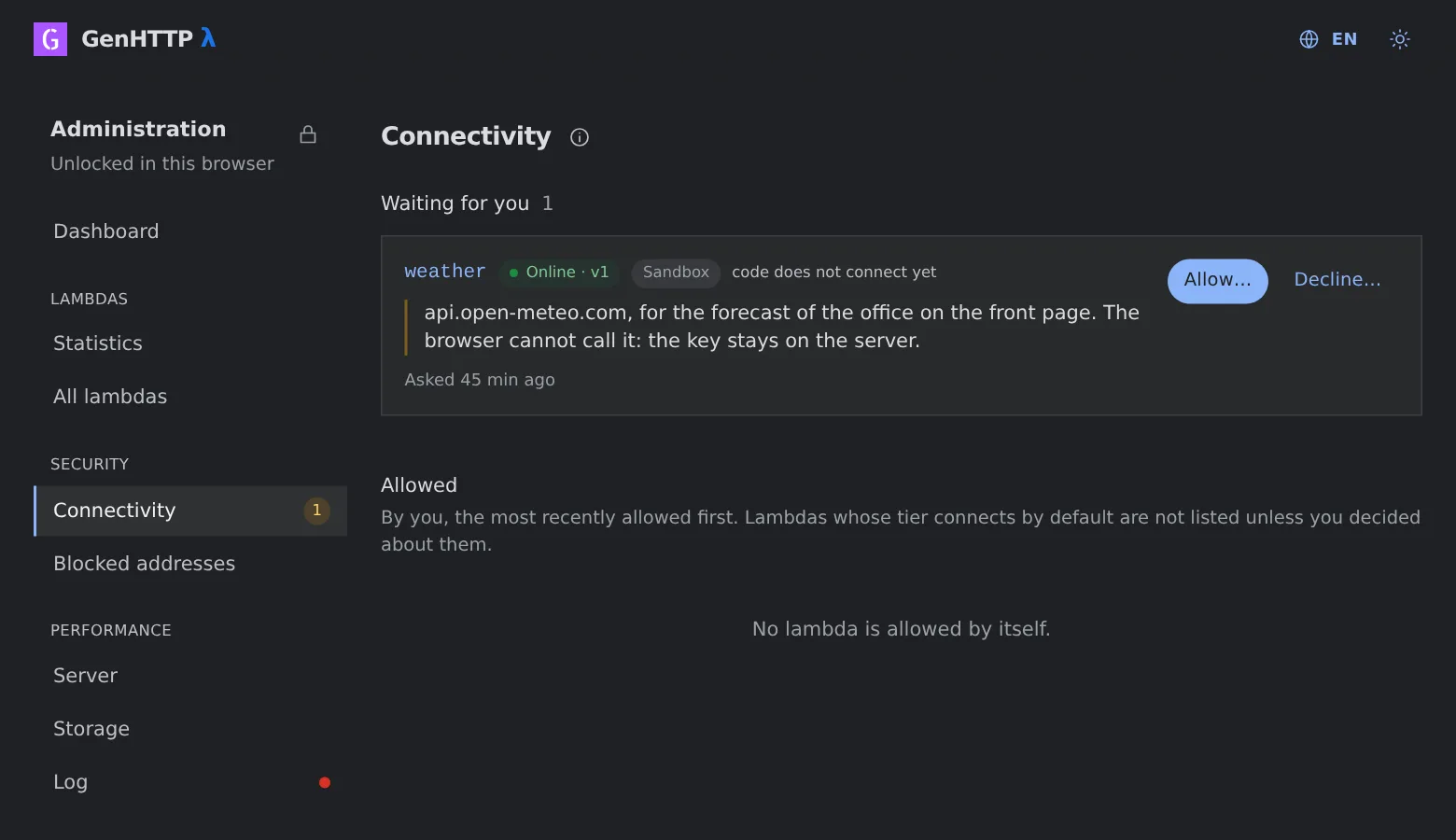 A request waiting for the operator, with what the app connects to and why.
Blocking#
For an app that breaks your rules - phishing, malware, attacks on others - Block on its page:
- The app goes offline with its drafts’ previews, and every change is refused through every door. Its owner can still read and download it, and sees your reason in the editor.
- Optionally, the addresses its editor key was used from in the last 30 days are blocked too: they get a plain
403for anything but the panel and its MCP endpoint, for two weeks. Blocked addresses lists them and lifts them. - Lift the block puts nothing back online by itself; the owner deploys again.
Blocked apps are never removed for going unused. System apps and demos cannot be blocked. The installation’s own networks (LAMBDA_UNBLOCKABLE_NETWORKS) are never blocked - the build agent and a reverse proxy come from there.
Branding#
Under Branding, give the installation a name (up to 40 characters) and a logo (PNG, JPEG, GIF, WebP or SVG, up to 512 KB; a square mark works best). They replace GenHTTP Lambda’s in the bar of every page, page titles, link previews and the browser tab, and in the “Made with” line agents put at the foot of the apps they build, where the installation asks for one - an enterprise one does not (see Settings). Without a logo, the first letter of the name is shown. Your own agent can do the same with customize_installation.
Rules for agents#
Every agent - the build agent included - reads the platform’s guide first (platform_guide). Under Guide you add a section of your own, which agents follow wherever the guide leaves them a choice:
markdown
### Our apps

- Write every page in German, informal tone.
- Use the colours of our design system: primary #0b5fff, text #1d1d1f.
- Never keep personal data beyond a name and an email address.
- API keys come from the vault team: ask the owner which secret names to use.
- A title of up to 60 characters, and up to 6 KB of Markdown with headings of the third level and below.
- It comes last, after the platform’s own sections, and changes nothing the platform enforces: limits, connectivity and the compiler’s rules hold whatever it says.
- Whom the apps are for is said at the top of the guide already, as chosen under Settings: write what is particular to you.
- It applies from the next call to the guide. The section shows the guide exactly as agents receive it.
- Agents working in a git clone read the repository’s
AGENTS.mdfirst, which does not include it. - Over the API:
PUT /api/v1/admin/guidewith{ "title": …, "text": … }.
Build agent#
Build agent decides what the build agent does here, each change applied to the next request, without a restart:
- Build new apps in the workspace on /build - switched off,
/buildonly explains how to connect an agent of one’s own. Without a build agent there is no box either way. - Let owners ask the agent about their apps - the same for the workspace’s conversation and the editor’s Change section.
- Models - who may choose each: everybody, whoever knows the password (
LAMBDA_AGENT_PASSWORD), or nobody - and which one a request runs on where nobody chose. - Efforts - which of Low to Maximum may be chosen, and the default.
Above them, the section shows what the agent says of itself: whether it answers, whether it signs in with a subscription token or an API key, which model of Anthropic’s each model runs as, the version of Claude Code and its queue. See Models and effort. Over the API: GET and PUT /api/v1/admin/agent.
Settings#
Settings holds whom the installation is for and what the platform does by itself, each applied at once, without a restart:
-
Who it is for - Home, as it comes, for you, your household and your friends; or Enterprise, for a company or another organization and its people. It decides how the installation speaks, and nothing it allows or keeps:
- The front page addresses your colleagues rather than whoever runs the installation: what they can build for their work, how it goes, and what they ask first. The menu stays the same.
- The box on
/buildsuggests apps for work - a request for time off, a booking calendar for meeting rooms, a checklist for new colleagues./shipand the examples in the editor follow suit. - The guide every agent reads first says that the apps built here are tools for colleagues: plain and businesslike, keeping no more about people than the work needs. Your own rules under Guide come on top.
- Agents put no “Made with” line at the foot of the apps they build, and take it out of a page they change.
- The pages do not link to GenHTTP Lambda’s source on GitHub or its Discord.
- Limits, tiers, connectivity and blocks stay as they are. An installation whose apps should all be kept starts them in production under Limits.
Over the API:
PUT /api/v1/admin/settingswith{ "profile": "enterprise" }- or"home";GETlists what may be chosen. -
Optimize the databases in their quiet hours - the platform’s records and every app’s database, once a day each (see Keeping the databases in shape); the panel says under the switch what the last runs did. Switch it off where the database is looked after by its own tools.
Limits#
Limits holds what used to be configuration and is now a promise to the owners: changing it takes no restart and applies to what is checked next.
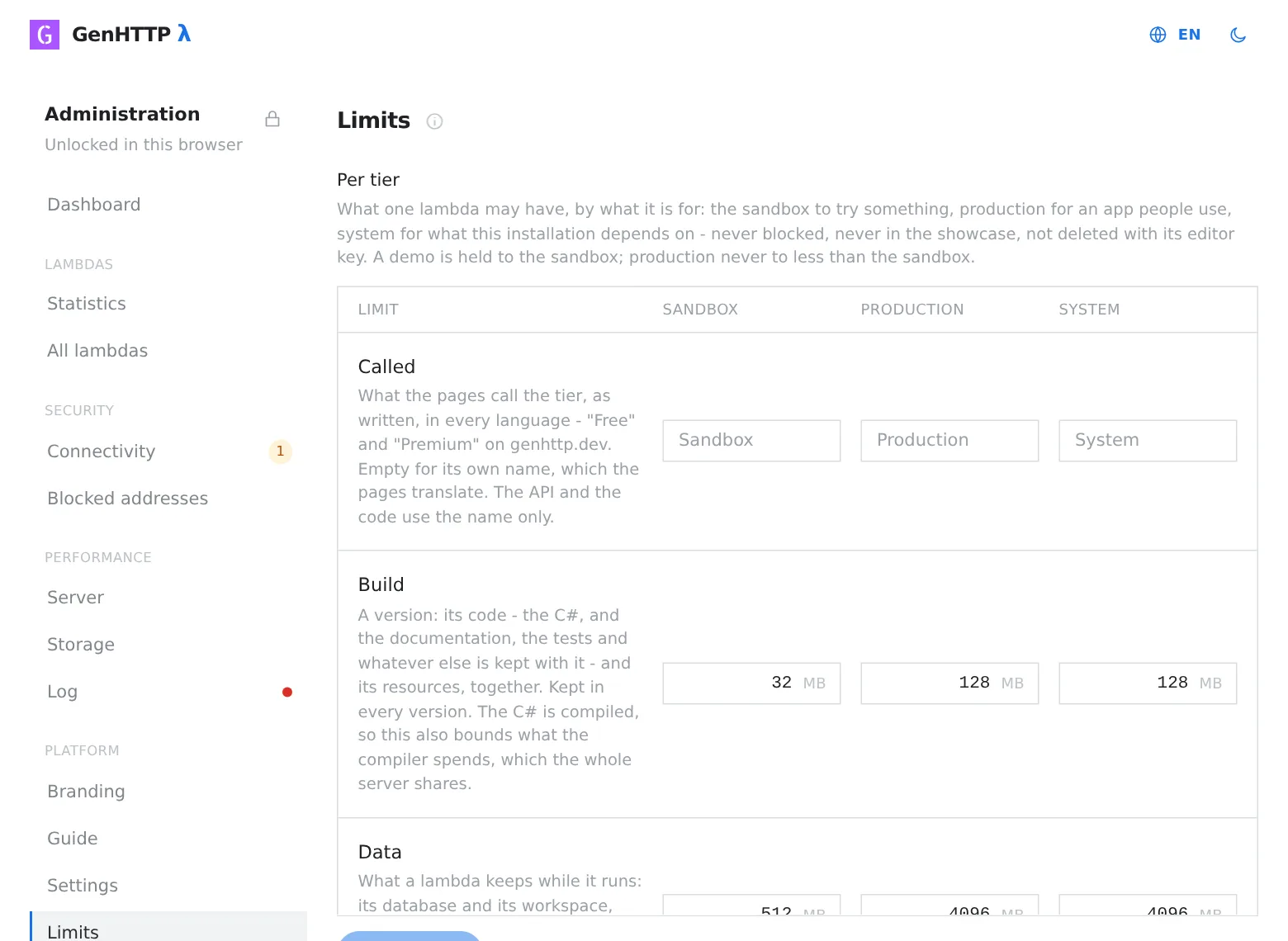
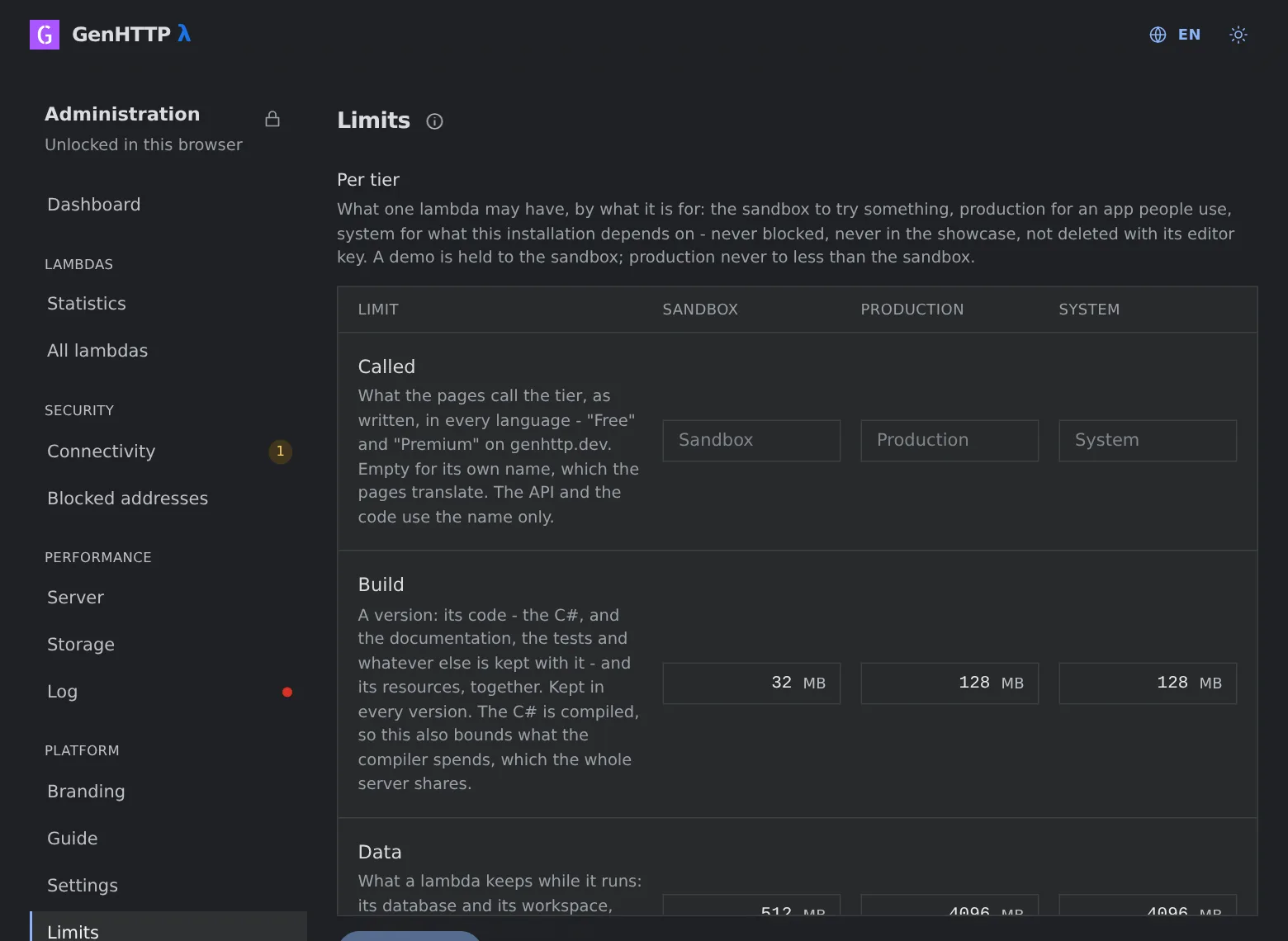 Limits per tier: the name, the size of a version and of the data, analytics shown, connectivity, when unused apps go.
- Per tier: what the tier is Called, Build (what a version may come to) and Data, Analytics shown, whether apps Connect by default, and when unused sandbox apps go Offline after and are Removed after.
- For every lambda: Versions kept, Features open at once (drafts), and the tier New lambdas start in.
- For everybody: the Showcase picture size, and per client Requests per second to the apps and the build agent’s Builds per day.
Lowering a limit takes nothing away: an app over it keeps what it has, and is refused what would grow it further.
Quiet hours#
Quiet hours shows how many requests the server answers in each hour of a typical day, on your clock, and its quietest three hours. An app’s page shows its own typical day the other way round, as When it is used: the hours it is busy - every hour with at least half the requests of its busiest - and its busiest hour, from the requests it answered, its drafts’ previews left out.
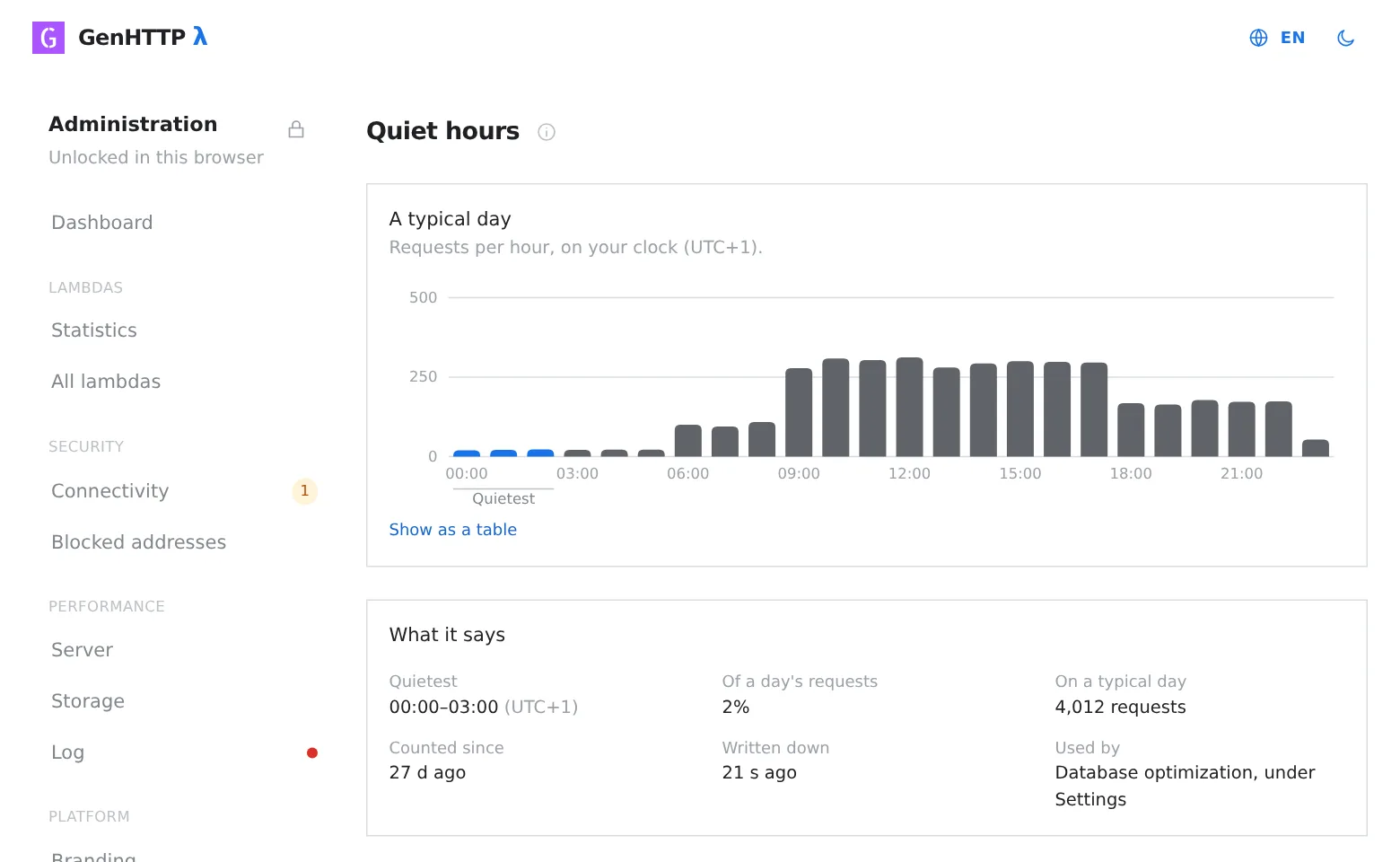
 A typical day by the hour: the quietest three hours are what work that can wait is planned by.
- Counted lightly. The server counts every request by the hour of the day it was answered in, in memory, and writes the counts down once an hour. The typical day is an average in which a week ago counts half as much as today, so it follows a change in traffic within a few weeks, and a burst that happened once fades.
- Known after a day. Until every hour of the day was counted - a day after the installation started, at the least - the quiet hours are not known, and nothing is planned by them. An app with fewer than a request an hour on average has none of its own, and goes by the installation’s.
- An indication, not a measurement. The hour before a restart is lost, an hour the server was down counts as a quiet one, and a weekend is not told from a weekday.
The databases are optimized in these hours (see Settings). Over the API: GET /api/v1/admin/quiet-hours, and typicalDay of an app’s GET /api/v1/admin/lambdas/{publicKey}.