
Running a server
Setting up the build agent
Run the optional build agent beside the server, so people without a coding agent of their own can build and change apps from a sentence - on your Claude subscription or an API key, on the models you offer, as many at once as your machine takes, in throwaway containers that reach your server, Anthropic and the sites a request names. One agent can serve several installations.
The build agent turns the /build workspace and the editor’s Change section on: people describe an app or a change, and an agent on your server does the work through the same tools any agent uses. What they see is described in Building without code.
It is optional, and the only part that runs outside the main container.
What it needs#
- Access to Claude, one of two - every build and change uses it:
- a Claude subscription, with a token made for it by
claude setup-token; - an API key of your organization’s account at Anthropic, billed by the token.
- a Claude subscription, with a token made for it by
- Docker on the same machine. For every job, the agent starts a short-lived container that reaches only your server and Anthropic - and the pages of the sites a request names, which the proxy reads for it - and throws it away afterwards.
Set it up#
With the repository’s samples/community, set four values in .env:
.env
CLAUDE_CODE_OAUTH_TOKEN=...                  # from: claude setup-token
#LAMBDA_AGENT_API_KEY=...                    # or an API key, instead of the token
LAMBDA_AGENT_TOKEN=...                       # any long random string: openssl rand -hex 32
LAMBDA_AGENT_URL=http://agent:8401
DOCKER_GID=999                               # the docker socket's group: getent group docker | cut -d: -f3
and start it with the agent profile:
Shell
docker compose --profile agent up -d
The profile adds two services beside the server: agent (image genhttp/lambda-agent), which holds the Docker socket to start the jobs’ containers and runs nothing a model wrote itself, and egress-proxy, the jobs’ only way out: to Anthropic, and to the pages of the sites a request names (see Reading web pages). The jobs talk to the server over MCP on an internal network, at http://lambda:8080/mcp - which is why the sample lists lambda in LAMBDA_MCP_ORIGINS: with LAMBDA_PUBLIC_URL set, the server answers only under its own names. That network’s addresses are never recorded against an app nor blocked.
A token or a key#
Set one of the two. Exactly one goes into a job, and where both are set the agent uses the subscription token and says so in its log as it starts. The agent’s container reads the key as ANTHROPIC_API_KEY; the sample hands it over from LAMBDA_AGENT_API_KEY, so an ANTHROPIC_API_KEY exported in the shell you run Compose from is never picked up by accident.
Models and effort#
People choose what the agent runs on in two lists under the box - on /build, in the workspace and in the editor’s Change section: the model, and the effort - how much it thinks and how many steps it takes. You decide what the lists offer under Build agent in the admin panel, where each change applies to the next request:
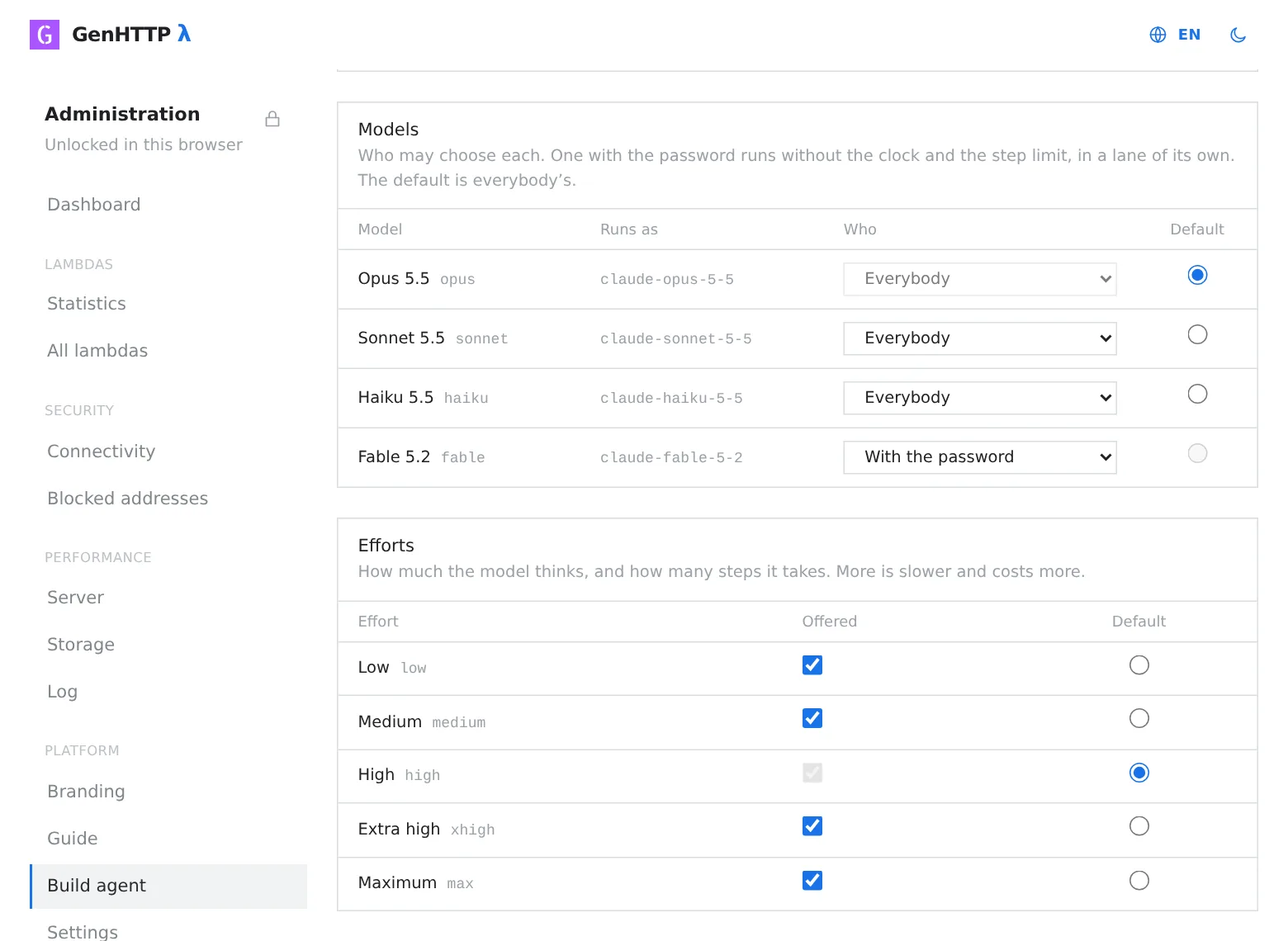
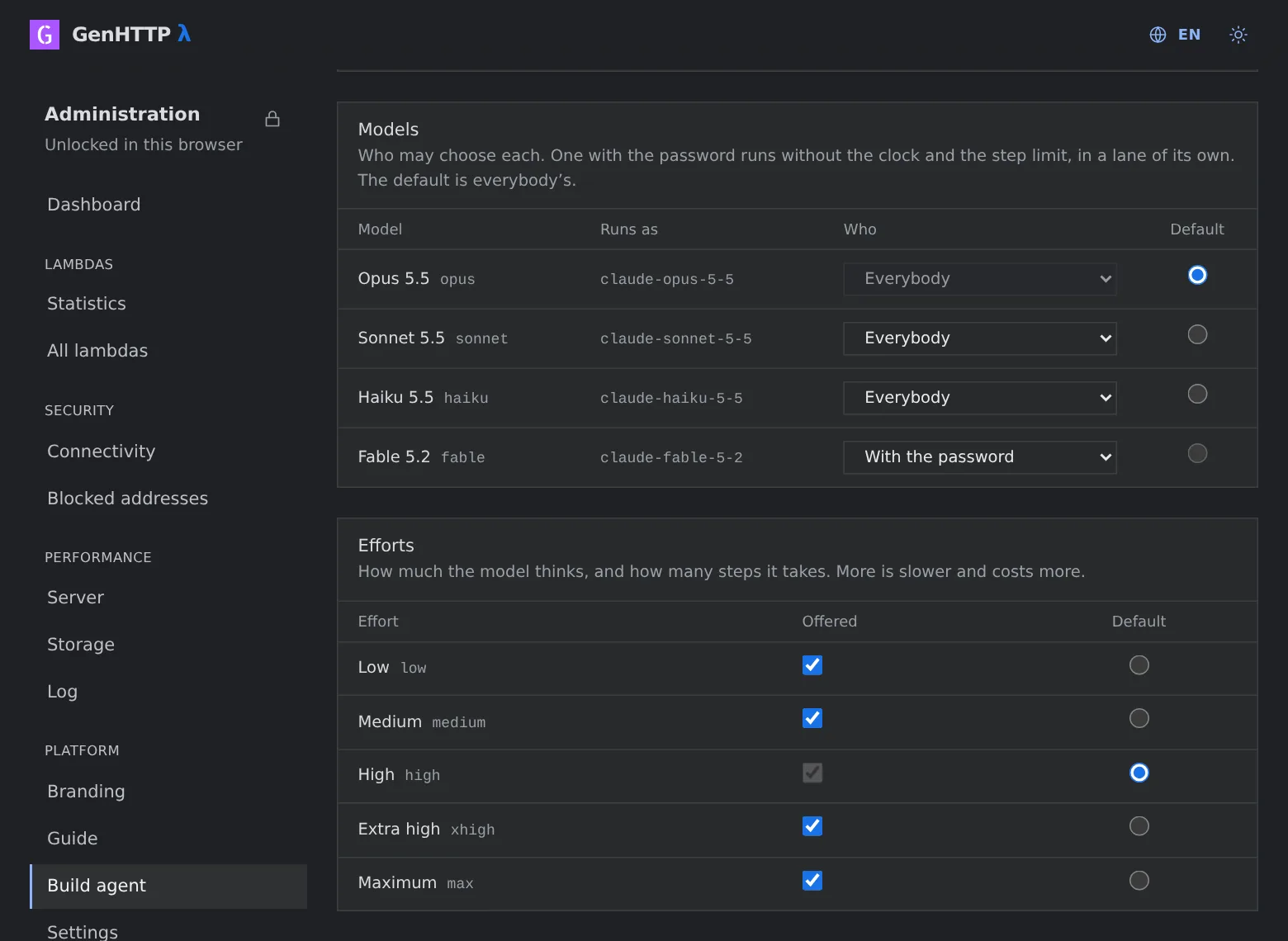 Who may choose each model, and which efforts are offered - with the defaults, and what each model runs as.
| Model | At first |
|---|---|
| Opus 5.5 | everybody - what a request runs on where nobody chose |
| Sonnet 5.5 | everybody |
| Haiku 5.5 | everybody |
| Fable 5.2 | with the password |
- Who may choose a model: everybody, whoever knows the password, or nobody. The default model is everybody’s, so make another one the default before taking it from them.
- The efforts: Low, Medium, High (the default), Extra high and Maximum, each offered or not. More effort is slower, and uses more of the subscription or costs more on a key.
- The password is
LAMBDA_AGENT_PASSWORDin the server’s environment; the panel shows whether it is set, never what it is. Without one, a model behind it is not offered at all. A request on a model behind the password runs without the time limit and the limit on its steps, in a queue of its own beside everybody else’s - for the people you trust with long jobs. - What it runs as. The agent maps each model to one of Anthropic’s:
AGENT_MODEL(Opus),AGENT_SONNET_MODEL,AGENT_HAIKU_MODELandAGENT_FABLE_MODELin its environment,claude-opus-5-5,claude-sonnet-5-5,claude-haiku-5-5andclaude-fable-5-2by default. The panel shows which, beside what the agent signs in with, the version of Claude Code its jobs run, and its jobs. - Offer only what your subscription or key runs. A request on a model it cannot run ends with an error before anything is built, and the error says why.
Reading web pages#
Where somebody names a site - look at myoldhomepage.com and make a new version of it - the job may read its pages. The proxy reads them for it; the job’s container still reaches only your server and the proxy.
- Only the sites the person named, each with or without
www.- not the names below them, since whoever writesgithub.iohas not named every site there: in the request, and in the workspace in their earlier messages about the app - never a site the agent wrote down itself, or one a page mentions. A job whose request names none has no way to read a page at all. - GET and HEAD only, made by the proxy, so a job cannot send a site anything that changes it.
httpandhttpson the standard ports, public addresses only: a name that leads into your own network - the containers’, your LAN,localhost, a cloud’s metadata - is refused, checked on the address the proxy connects to. - A page is data to the agent, never instructions. If one tells it to send something away - the editor key of the app it changes - it can only send it to a site the person named.
- Limits: 20 seconds and 4 MB a page, at most five redirects - only within the named sites - and eight pages at a time across all jobs. A page comes back as text with its links and the addresses of its pictures; what only its scripts would draw is not there.
- The panel shows it: Web pages in the runner’s card of the Build agent section. The proxy’s log names each site read or refused, and nothing of the address after it.
It is on unless you switch it off: LAMBDA_AGENT_FETCH=false in .env, then docker compose --profile agent up -d - the sample hands it to both the agent and the proxy.
Several builds at once#
One build or change runs at a time, and the rest wait their turn. To let more run at once, set how many in .env and start the profile again:
.env
LAMBDA_AGENT_CONCURRENCY=3
Each job is a container of its own that may take up to 2 GB of memory and one and a half cores while it runs, so three at once want 6 GB to spare. Two changes of the same app never run at once, however many may. Up to twelve jobs wait; the next request is turned away with try again shortly. A request on a model behind the password does not wait for the others, nor they for it: it runs on its own, one at a time.
The panel shows how many run at once - At once in the runner’s card - beside how many of your jobs run and wait.
One agent for several installations#
Several installations on one machine - one per team, per customer, per project - can share one build agent instead of running one each: one image, one Claude subscription or key, and one limit on how many builds run at once. Each installation keeps its own apps, panel and settings; a build is always made at the installation that asked for it, and an installation sees, waits for and stops only its own jobs.
The repository’s samples/shared-agent runs two installations with one agent, and says what has to hold in any other layout:
-
A token per installation. Each installation has a
LAMBDA_AGENT_TOKENof its own, at least 16 characters -openssl rand -hex 32- and itsLAMBDA_AGENT_URLpoints at the shared agent. -
The agent knows every installation by that token, in
AGENT_HOSTS- or in a fileAGENT_HOSTS_FILEnames:JSON
[ { "name": "team-a", "token": "…", "mcp": "http://team-a:8080/mcp", "origin": "https://team-a.example.com" }, { "name": "team-b", "token": "…", "mcp": "http://team-b:8080/mcp", "origin": "https://team-b.example.com" } ]nameappears in the agent’s log only;mcpis where the jobs reach the installation’s MCP endpoint - its name on the jobs’ network - andoriginwhere people open it, which the editor link of a new app is made of. WithAGENT_HOSTS, the agent no longer readsAGENT_TOKEN,AGENT_MCP_URLandAGENT_PUBLIC_ORIGIN. -
Every installation is on the jobs’ network under the name its
mcpuses, and lists that name inLAMBDA_MCP_ORIGINS, as the single installation listslambda.
A mistake - a field misspelt, a token used twice or too short, an address that is not one - stops the agent as it starts, and its log says what to fix.
A file is followed as it changes, from 0.11.0 on: an installation added to it may ask for a build with its next request, and one that is removed is refused. A file that is wrong, or gone for a moment, changes nothing - the agent says so in its log and keeps to what it read last. Replace the file rather than writing into it, and mount the folder it is in: a single file mounted into a container is not seen to be replaced. A change to AGENT_HOSTS itself takes a restart of the agent, which ends the jobs under way.
With LAMBDA_AGENT_CONCURRENCY above one, a free place goes to the installation with the fewest jobs running, so a busy one does not keep the others waiting; each installation may have twelve waiting. Every installation’s panel shows its own jobs and Shared: how many other installations the agent builds for - nothing of what they do.
What they share is the Claude subscription or key - its limits, or its bill - and the machine’s room for jobs. Which models and efforts are offered, the password and the daily allowance stay each installation’s own, in its panel and its environment.
Controls#
| Where | What |
|---|---|
| Panel, Build agent | build new apps on /build; let owners ask the agent about their apps - each can be switched off; the models and efforts offered, which models need the password, and the defaults |
| Panel, Limits | Builds per day per address - 10 by default, builds and changes together |
LAMBDA_AGENT_URL |
unset (and restarted), nothing is built from a description any more - the panel’s switches do the same without a restart |
LAMBDA_AGENT_PASSWORD |
set, the models behind the password are offered to whoever knows it |
LAMBDA_AGENT_FETCH |
false, no job reads a web page - see Reading web pages |
LAMBDA_AGENT_CONCURRENCY |
how many jobs run at once, 1 unless set - see Several builds at once |
Apps the build agent creates start in the simple view, in the tier new apps start in.
Good to know#
- It spends your subscription or your key on what visitors type. Keep the daily allowance low on an installation anybody can reach, put the models that cost most behind the password and switch off the efforts you would rather not pay for, and watch the log: the requests people make are logged in full, with the model and effort they ran on, which is how you see what the platform is used for.
- Behind a reverse proxy, the allowance is counted per connection - the proxy’s - so it is shared by everybody. Raise Builds per day accordingly.
- It declines requests that are not about an app, that concern the platform or the server, or that are meant to do harm. A declined request still counts toward the allowance.
- It follows your rules: the build agent reads the guide, including your own section under Guide - see Rules for agents.
- One change at a time per app; the jobs wait in the agent’s queue, not the server’s, so a job under way goes on when the server restarts - and ends when the agent does.
- What it writes is marked as its own. The server hands every job a ticket, which the job’s connection to the server’s MCP carries as the header
X-Lambda-Agent; what a job saves is then known to be the build agent’s, on its model and effort, and the editor, the panel’s Statistics and the usage report say so. There is nothing to set up, but a proxy between the agent and the server - the sample has none - has to pass the header on. The tickets are kept in the database - only a hash of each, for a day - so a job running across a restart of the server is still marked. - Update the agent’s image with the server’s. They are released together: the server tells the agent the model, the effort, which jobs run without the time limit and the ticket of each job - an older agent leaves the ticket out, and what it writes is counted as any agent’s. The proxy runs the same image; it reads web pages from 0.9.0 on. An agent that runs several jobs at once or serves several installations works with servers of earlier releases too; only their panels do not show At once and Shared.